Sun, Jul 12, 2026NY 6:52 PM EDTLA 3:52 PM PDTLON 11:52 PM GMT+1PAR 12:52 AM GMT+2DXB 2:52 AM GMT+4SIN 6:52 AM GMT+8TOK 7:52 AM GMT+9SYD 8:52 AM GMT+10UTC 10:52 PM UTCBTC delayed quote CoinGeckoETH delayed quote CoinGeckoFresh explainers, verified sources, practical next steps
Strangely Useful

Clear, verified help for apps, money, security, AI, and everyday tech problems.

Sections
Start with topic hubsSpot fake supportFix a wrong Cash App paymentLatest storiesTopicsMoney & ChargesSearchInternet & CultureTech & AISecurity & TrustPractical TechnologyMoney & PaymentsBrowser & PrivacyAI ToolsSoftware & ServicesInternet Culture & Everyday WorkflowsHidden HistoryUseful ThingsEntertainmentQuizzesAboutHow we workHow guides are madeNewsletter
Quizzes - quiz

Can You Verify These Six Messages Safely?

This source-backed quiz practices independent verification instead of guessing from logos, grammar or urgency.

Last verified July 11, 20263 sources checkedEditorial standards
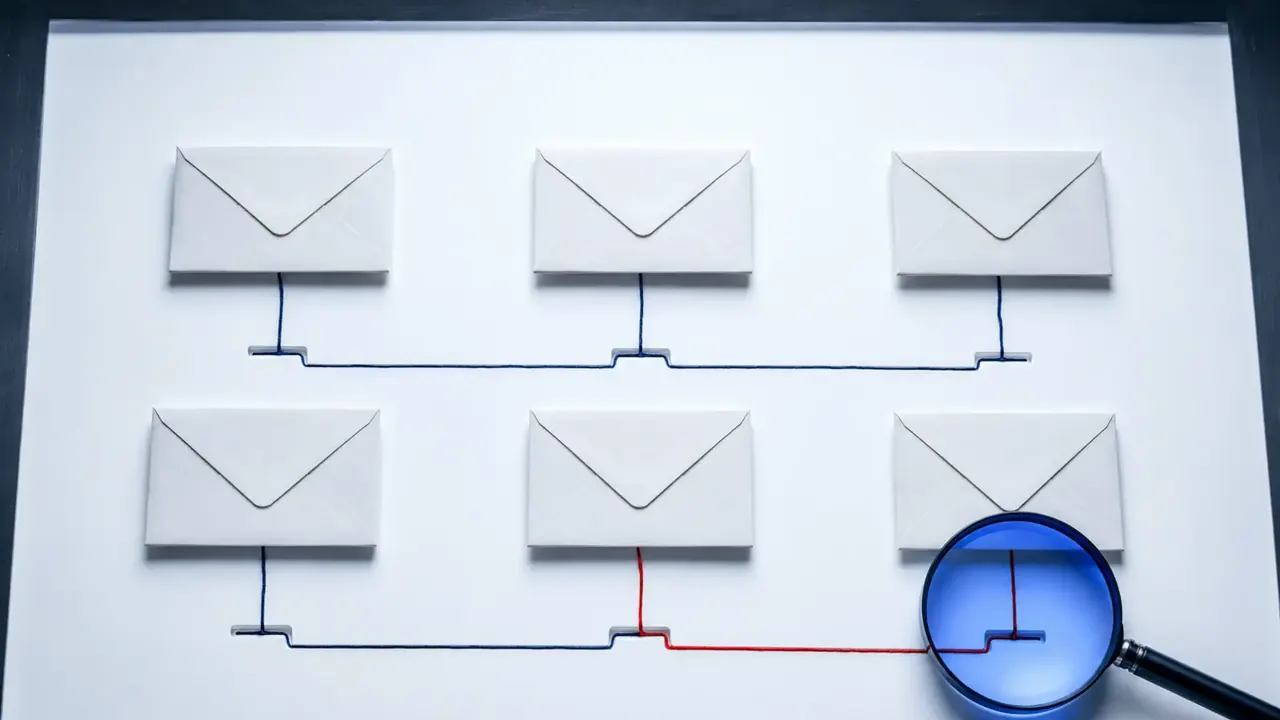
Six blank sealed envelopes sit beneath a blue magnifier, with one red route isolated for inspection.
Can You Verify These Six Messages Safely?Six blank sealed envelopes sit beneath a blue magnifier, with one red route isolated for inspection.Reliable phishing checks verify the route and request through an independent channel instead of trusting appearance. Strangely Useful generated editorial illustration.

Phishing messages are not always misspelled, and real companies sometimes write alarming emails. This quiz is about choosing a safe verification step, not guessing from appearance.

1. Your streaming payment failed. Update now.

The message uses the right logo and your first name. The button points to a look-alike address.

Answer and explanation

Open the saved app or type the address you already know. Do not use the embedded link. Check the account through a channel you reached independently.

2. A text claims to be your bank's fraud team

It asks you to call a number in the message and read back a one-time code.

Answer and explanation

Contact the bank through the number on your card or official app. Use an independently obtained channel and never provide a one-time code because a caller asked.

3. A coworker shares a cloud document unexpectedly

The sender address looks normal, but the sign-in page opens on an unfamiliar domain.

Answer and explanation

Verify with the coworker through a separate channel. A familiar sender does not make an unfamiliar sign-in domain trustworthy. Confirm the share separately and use the organization's reporting process.

4. A delivery message says a small fee is due

You are expecting a package, and the message includes the correct city.

Answer and explanation

Check the tracking number in the carrier's official app or site. Context and amount do not replace independent verification. Reach the carrier through a channel you already know.

5. A security alert appears in email and the official app

The official app shows the same new-login event as the email.

Answer and explanation

Use the app's security page. The trusted app confirms the event, not every link in an email. Review and secure the account inside the app.

6. The message has no obvious mistakes

What is the strongest habit?

Answer and explanation

Decide whether the request is expected, then verify through a known channel. Verification is stronger than appearance, grammar or personal details.

Your choices are not stored. Use each answer disclosure to review the verification method.

Sources & methodology3 sources - evidence for this revision

The records below show what each source supports in this published revision.

  1. How to recognize and avoid phishing scamsFederal Trade Commissionprimary - Retrieved Jul 11, 2026

    What it supportsUrgency and requests to click links or disclose sensitive information are common phishing warning signs. - Suspicious requests should be verified through known contact information or a public company website rather than contact details in the message.

  2. Phishing guidanceNISTprimary - Retrieved Jul 11, 2026

    What it supportsUrgency and requests to click links or disclose sensitive information are common phishing warning signs. - Suspicious requests should be verified through known contact information or a public company website rather than contact details in the message.

  3. Never move your money to protect it. That's a scam.Federal Trade Commissionprimary - Retrieved Jul 11, 2026

    What it supportsA caller who asks for a verification code may be attempting to take over an account or authorize a transaction.
The Useful Dispatch

Keep the good rabbit holes coming.

The weekly email is being prepared. No address is collected yet.

See the newsletter plan →